
OpenWorker, Chinese edition
Hand the AI the outcome, not just the answer
What it is
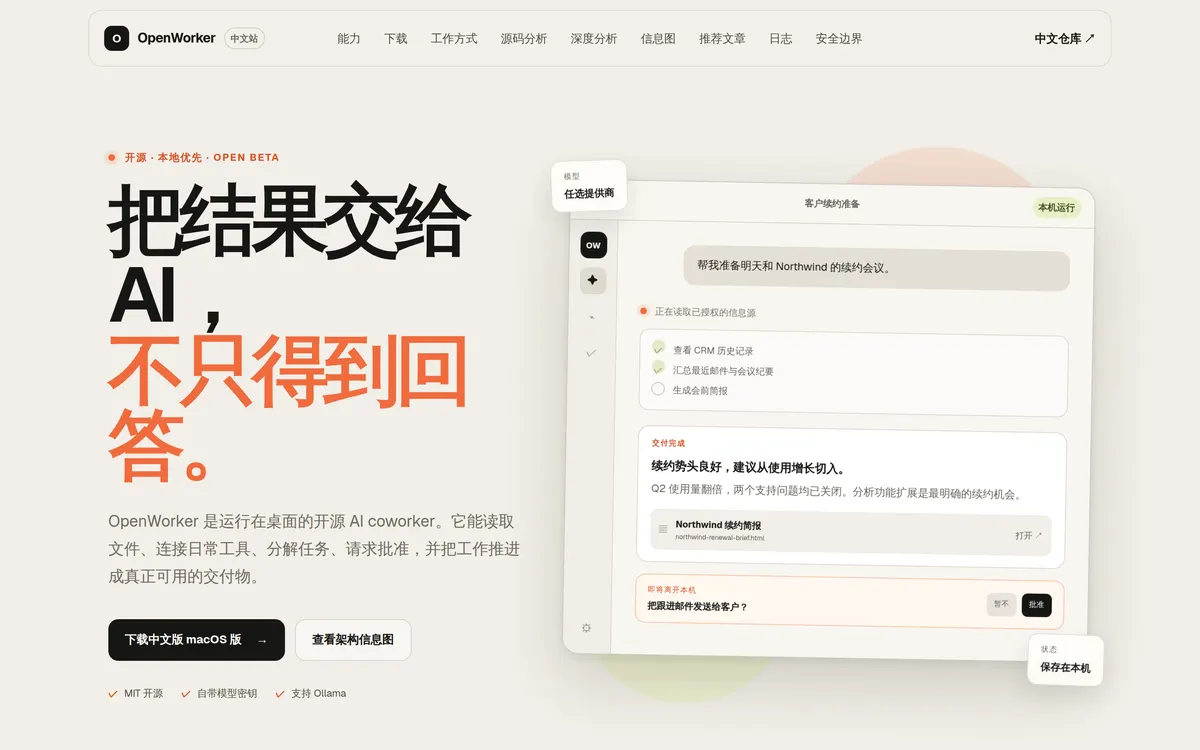
OpenWorker is an open-source AI coworker that runs on your desktop (MIT, by Andrew Ng). It reads files, connects to everyday tools, breaks work down, asks for approval, and pushes a task all the way to a usable deliverable — instead of just replying with text.
This project is its Chinese side, three things:
- The Chinese site oaosf.cn — introduction, capabilities, how it works, safety boundaries, FAQ
- A localised macOS build — currently 0.1.7, an Apple Silicon / aarch64 DMG, bundle ID
com.openworker.desktop.zh, installable alongside the English version - A source-code deep dive — architecture breakdown and maturity assessment of the upstream repo, with an interactive infographic
Upstream source lives in andrewyng/openworker; the Chinese material and localised build live in zhanglunet/openworker-zh-localized.
Why do it
Two reasons OpenWorker deserved a Chinese side of its own.
First, it isn’t a chat wrapper. The verdict from the source analysis: this is a local agent runtime. Its moat comes from the tool loop, the permission system, the connectors and the persistence layer — not from any one model. The desktop shell is React + Tauri 2; the local service is a FastAPI + WebSocket Python sidecar, with SessionManager coordinating sessions, Inbox, automations, auditing and persistence. If you want to study agent architecture, it’s a reference implementation you can actually run.
Some details that show the design taste: TurnEngine authorises tool calls one at a time, then runs explicitly low-risk reads concurrently, while writes, shell and unlabelled tools stay strictly sequential — cutting races and accidental side effects. Permissions come in four levels: READ runs directly, WRITE_LOCAL needs mode-based approval and is confined to writable directories, EXEC requires explicit confirmation (complex shell can’t auto-match the allowlist), and EXTERNAL needs per-target authorisation.
Second, the Chinese build used to revert to English on update. 0.1.7 points the auto-update feed at the Chinese repo, which is what finally closed that hole.
How to use it
As a normal app: download the DMG from the site and drag it into Applications; it coexists with the English build. Bring your own model key — OpenAI / Anthropic / Gemini / GLM / DeepSeek / Kimi / Qwen / MiniMax / Mistral / Ollama.
From source (for studying the architecture):
git clone https://github.com/zhanglunet/openworker-zh-localized
cd openworker-zh-localized
bash packaging/setup_dev_env.sh
.venv/bin/openworker-server --cwd ~/project --port 8765
# in another terminal
cd surfaces/gui && npm install && npm run dev
Backend needs Python 3.10+, frontend Node 20+, and the full desktop shell also needs the Rust toolchain.
Just want the analysis: the site has the interactive infographic and the source deep-dive page.
Boundaries worth stating first
The site puts these front and centre; copied here as-is:
- “Local-first” is a boundary, not an absolute promise. Sessions, memory, keys and the main runtime state stay on the device — but the moment you pick a cloud model or enable an external connector, the data needed to finish the task does go to that service. For fully local operation, use Ollama and don’t enable external connectors.
- The current build is not notarised. On first launch, if macOS blocks it, right-click the app and choose Open once.
- Upstream still labels it Open Beta. Start with low-risk workflows and check connector permissions, approval modes and model data policies one by one.
- The source analysis is critical too:
server/manager.pyis past 4,000 lines and the connector execution layer approaches 5,000 — the feature loop is complete, but maintaining it will need further boundary splitting. Figures are frommain@01b6f83, and they count code assets, not test runs performed by this site.